Get more done in Notion.Made for freelancers
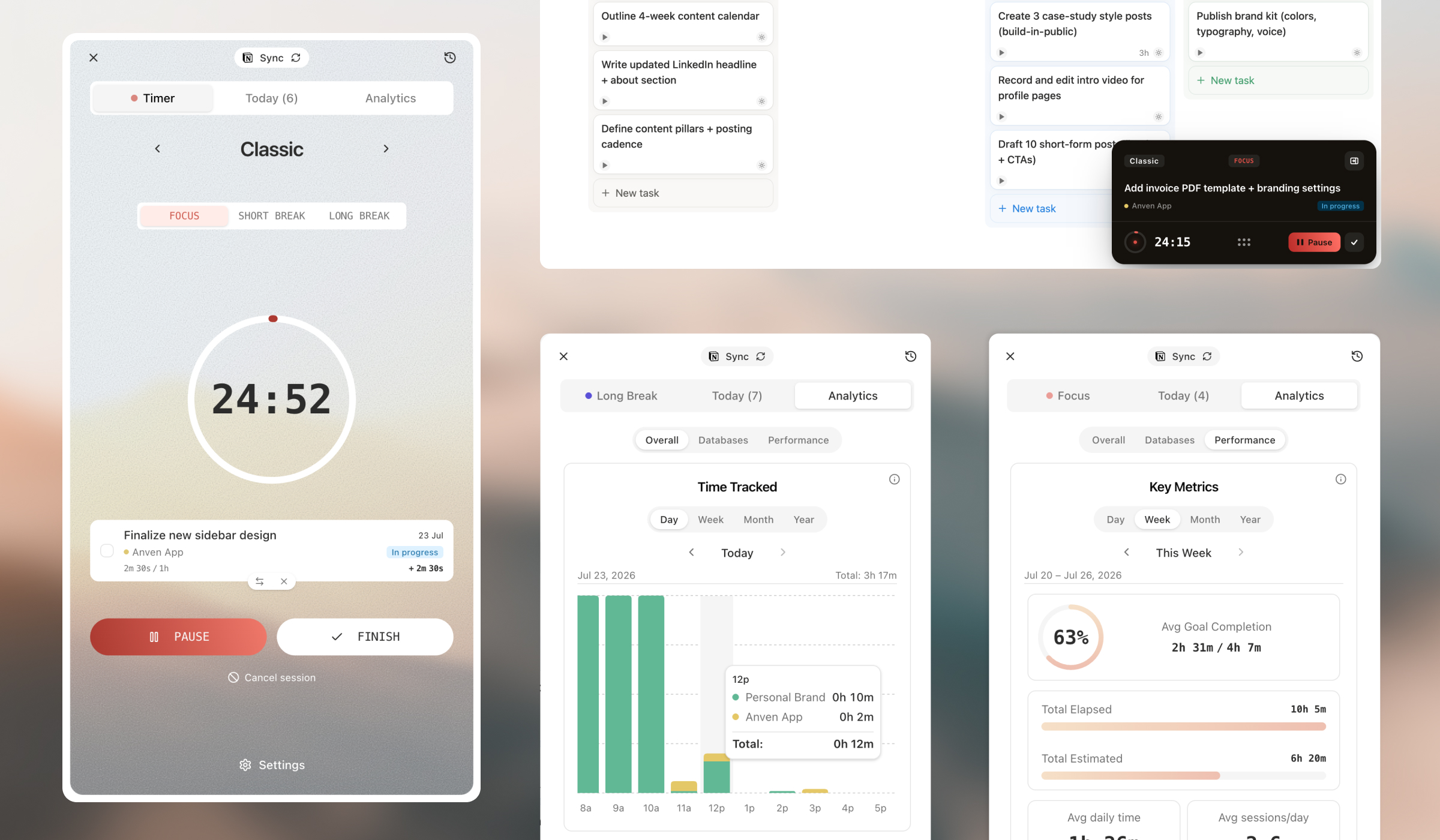
A daily planner, focus timer, and effortless time tracking — integrated to your Notion databases. The floating timer helps you do deep work without switching tabs.
100% free, no credit card. Requires a Notion account.
Plan, focus & track — in sync with your Notion
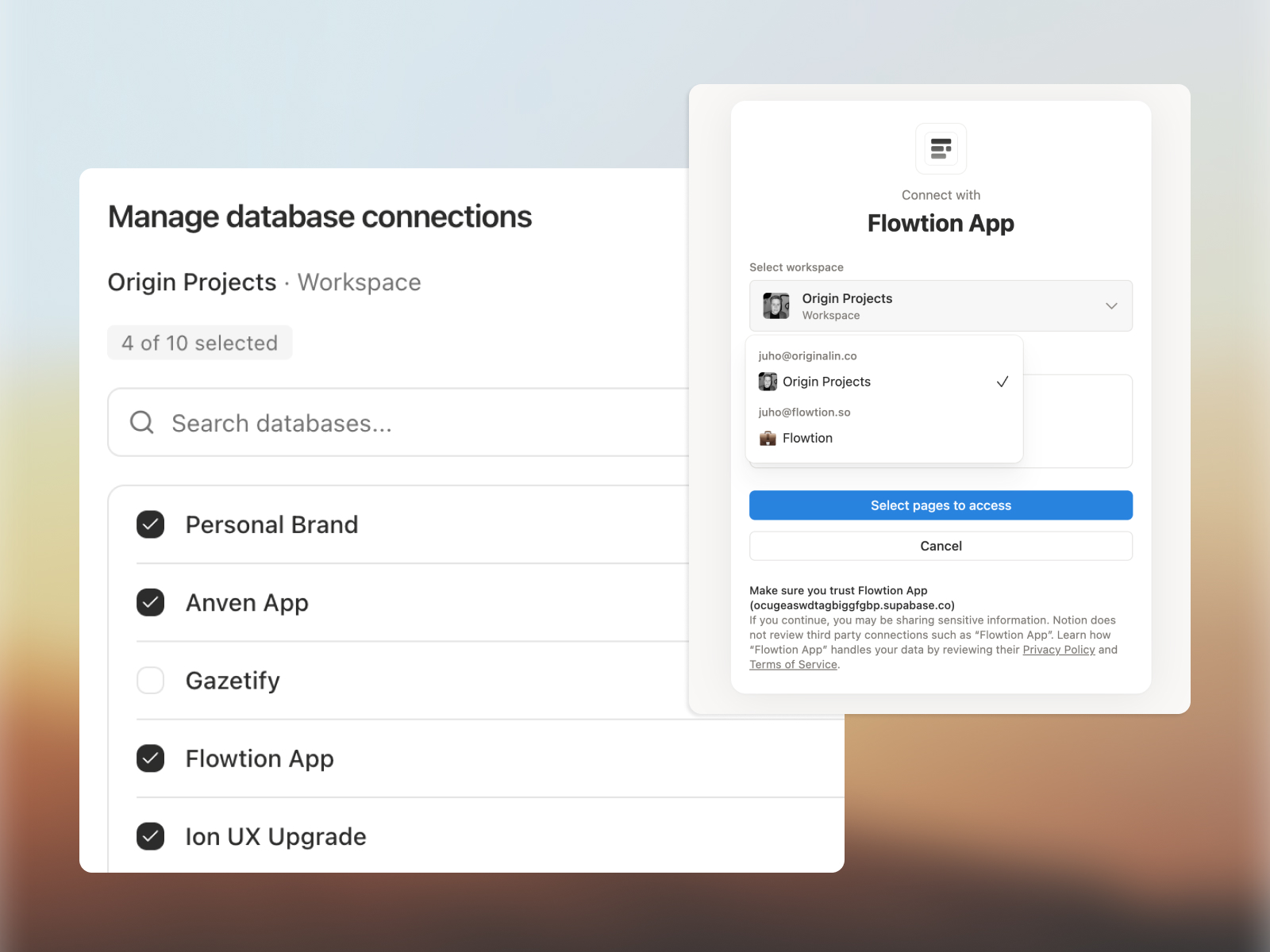
Connect your Notion account & databases
Link the workspaces and databases your tasks live in. Connect status and due-date properties, and Flowtion syncs every change automatically. No need for separate apps to track your time.
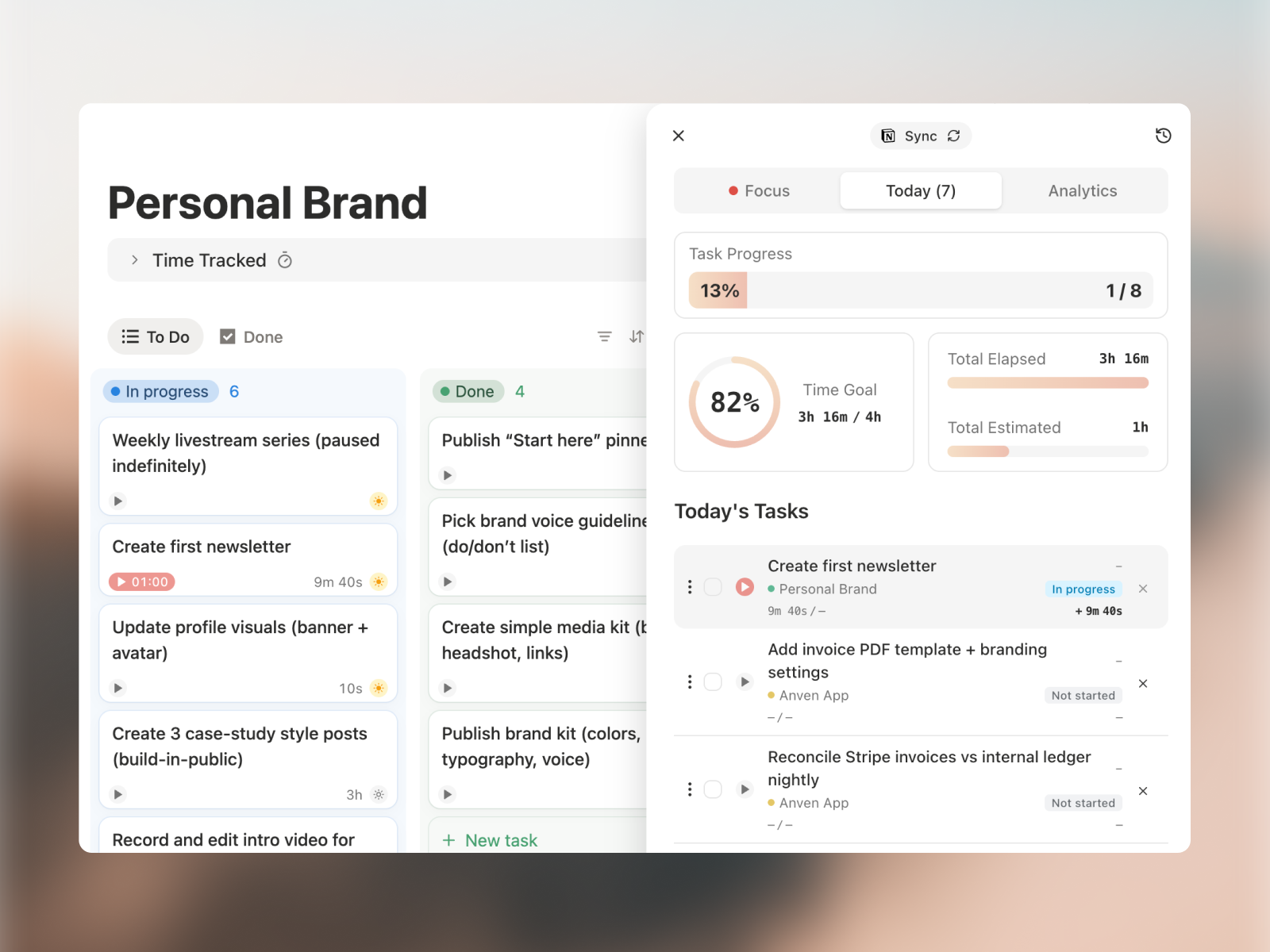
Plan today's work
Plan your daily tasks across workspaces and databases, right from your Notion webapp. Set time estimates per task and a daily focus goal.
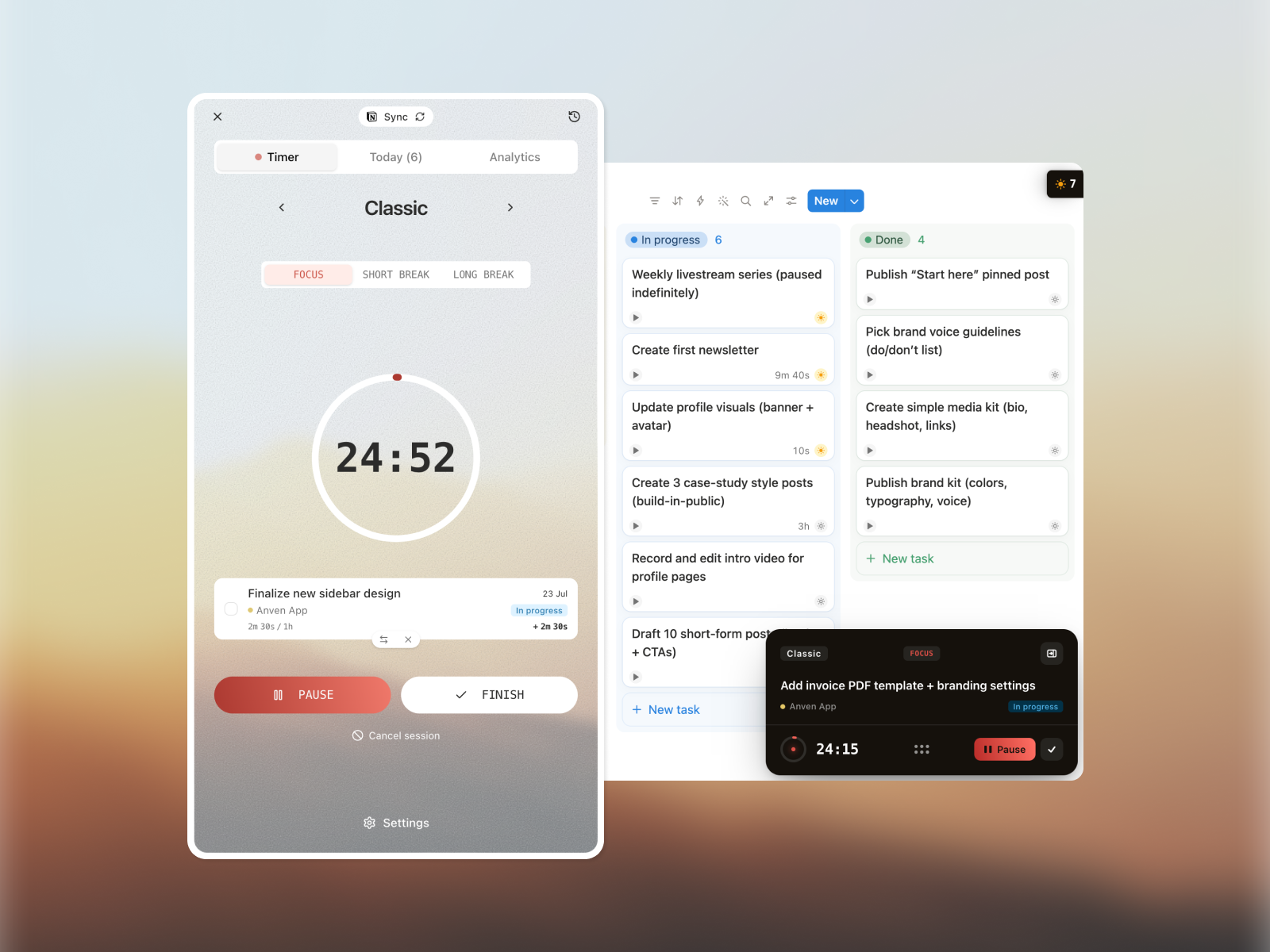
Start a focus session
Start pomodoro focus timers directly from your Notion tasks. Switch tasks fast from any tab, and time logs automatically. Open timer and manual logging supported too.
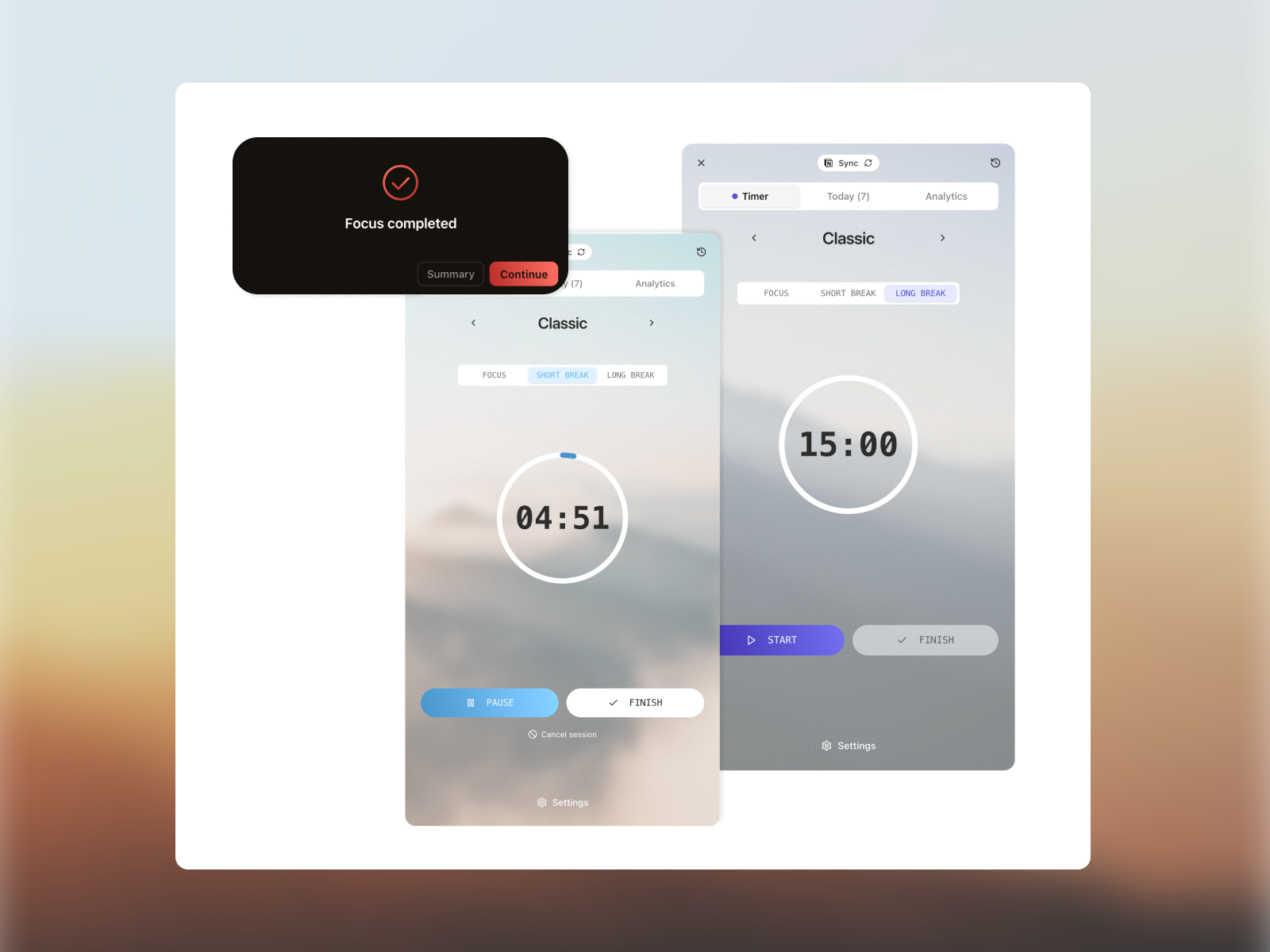
Get notified & take breaks
A floating timer and browser notifications remind you when a session ends and summarize each one to keep you on track. Start break timers to wind down in control.
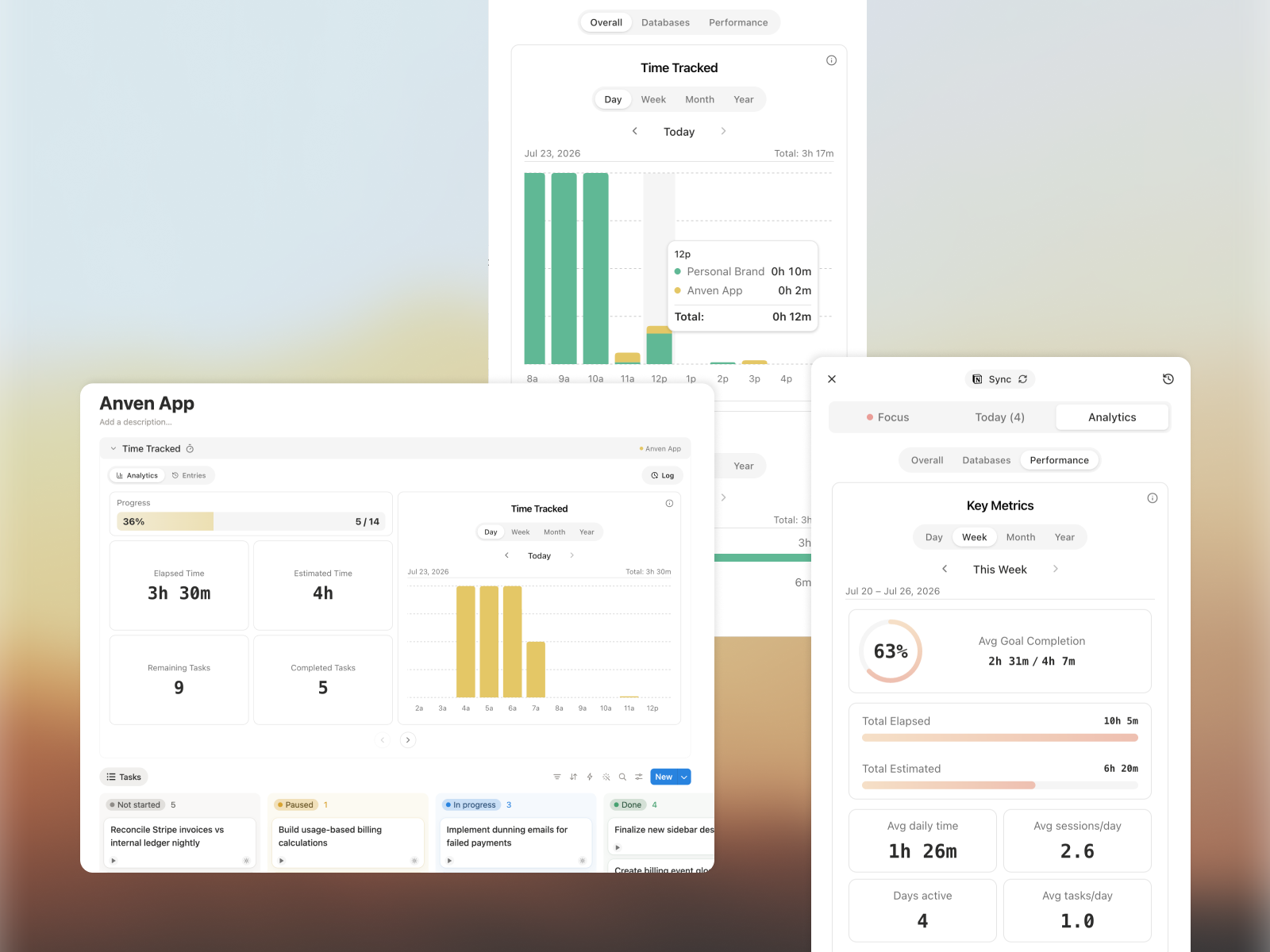
Review your time & performance
See clear analytics directly from your Notion database pages or floating sidebar. Review where your time went across any timeline to sharpen your focus. Track your accountability against daily goals.
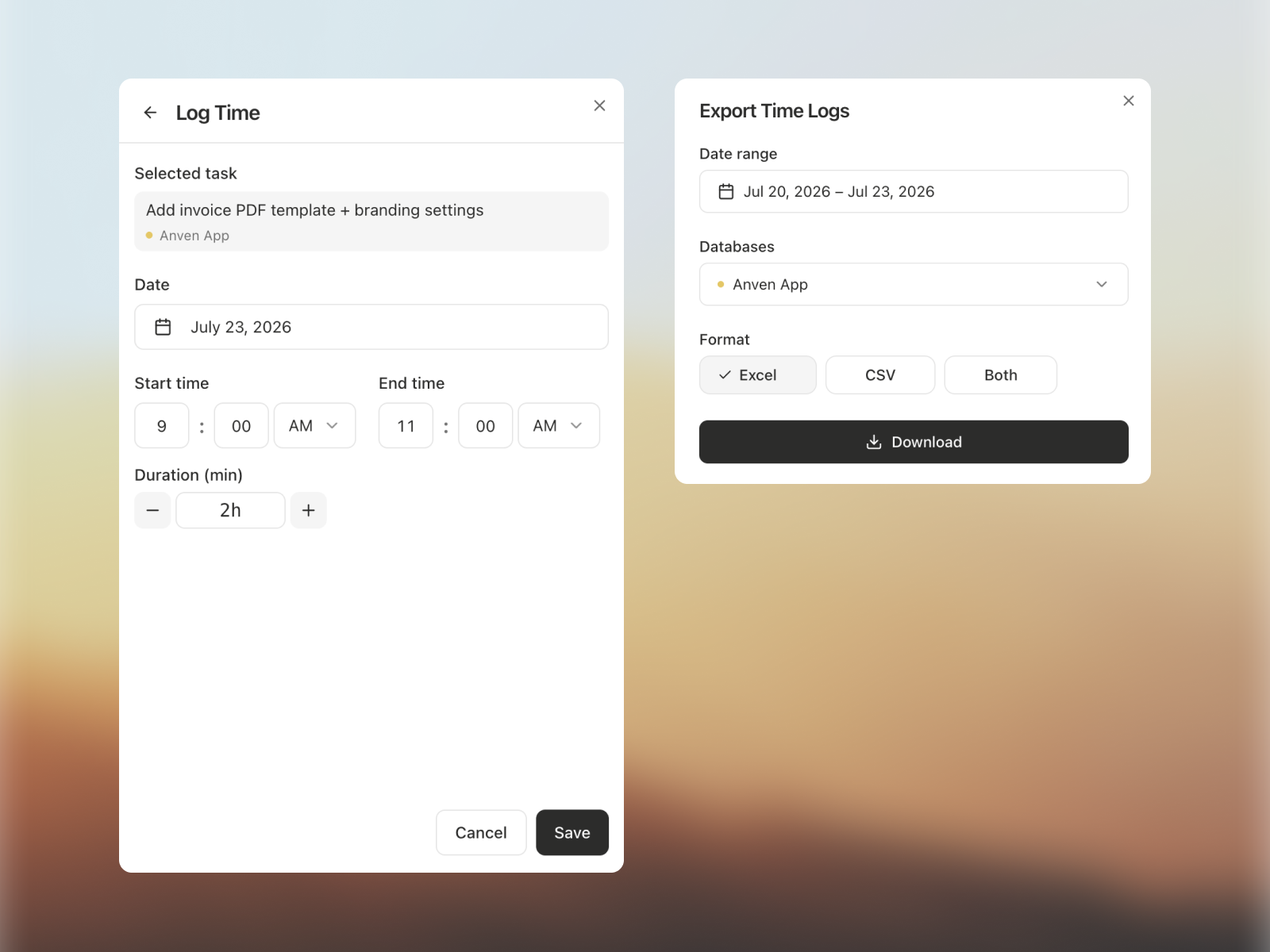
Export data for billing
Get a clean Excel or CSV export of your data across databases and timelines — for accounting, billing, or sharing with clients.
Feels like a native Notion feature that helps you stay on track of your time and work
Two-way Notion sync
Always current with your Notion tasks and databases. Not a one-time snapshot, no need for a separate app to help you focus and track time.
Manage task properties
Connect your status and due-date properties, and manage them from Flowtion as you work.
Set goals and estimates
Set daily focus goals and time estimates per task for sharper planning.
Floating timer
See your active task and session across every Chrome tab, without breaking focus.
Pomodoro sessions
Time focus and breaks with a proven method that keeps you in flow.
Time tracking
Track any task during a focus session, run an open timer, or log time manually — all tied to Notion.
Smart notifications
Browser alerts when a session ends, with a summary of your work.
Focus analytics
See where your time goes and report billable hours with precision.
Turns out, people like getting things done
“I'm a freelancer who has to manage several commissions in a tight schedule. This has definitely helped me manage the time and get a larger picture of my projects. Very easy to use, very smooth and love the feature where I don't have to hover between several tabs”
Sarah C.
Freelancer
“To put it simply: an incredibly well built product that delivers what it promises: makes time tracking for Notino users effortless and helps you focus. I wish you could also track billable hours, which the founder says is coming”
Laura
Freelancer
“I'm a hard core Notion user and have tried many time tracking extensions and even built my own system in Notion. But Flowtion is the first app that helps me focus and get stuff done, while handling time tracking super reliably so I can easily bill clients”
Samira
Designer
“I have multiple clients as separate projects in Notion, so being able to manage those from same place fast, wherever I work has been super useful (and the time tracking is absolute gold standard here)”
Elmo K.
Consultant
“Helps me focus and track time across the projects. I wish could also follow the focus sessions on my phone”
Artur V.
Developer
“This simple extension has really helped me focus and actually execute projects I have planned in Notion. I there was an option to also add notes to my tasks.”
Matias A.
Consultant
Simple, transparent pricing.
Basic
100% free, no credit card required
Full focus & time-tracking for your tasks database.
Start FreeFeatures
- Customizable Pomodoro timer
- One-button time tracking
- Floating timer across tabs
- Timer & analytics inside Notion
- Up to 1 Workspace
- Up to 1 Database
- Data export (Excel & CSV)
- Advanced analytics
Pro
€71.88 billed yearly
For professionals who need focus & time-tracking across multiple workspaces and databases.
Get StartedFeatures
- Everything in Basic
- Up to 3 Workspaces
- Up to 10 Databases
- Data export (Excel & CSV)
- Advanced analytics
- Access to upcoming features

J. Alin
Solo Founder & Freelancer
I was frustrated with the gap between Notion, focus & time-tracking tools. Notion had everything for planning but nothing to help me get more done and track hours for client work. So I built a focus and time-tracking extension that lives inside Notion — no new app, no context switching, just focused work where it happens. I could finally stop guessing where my billable hours went.
Built for serious productivity
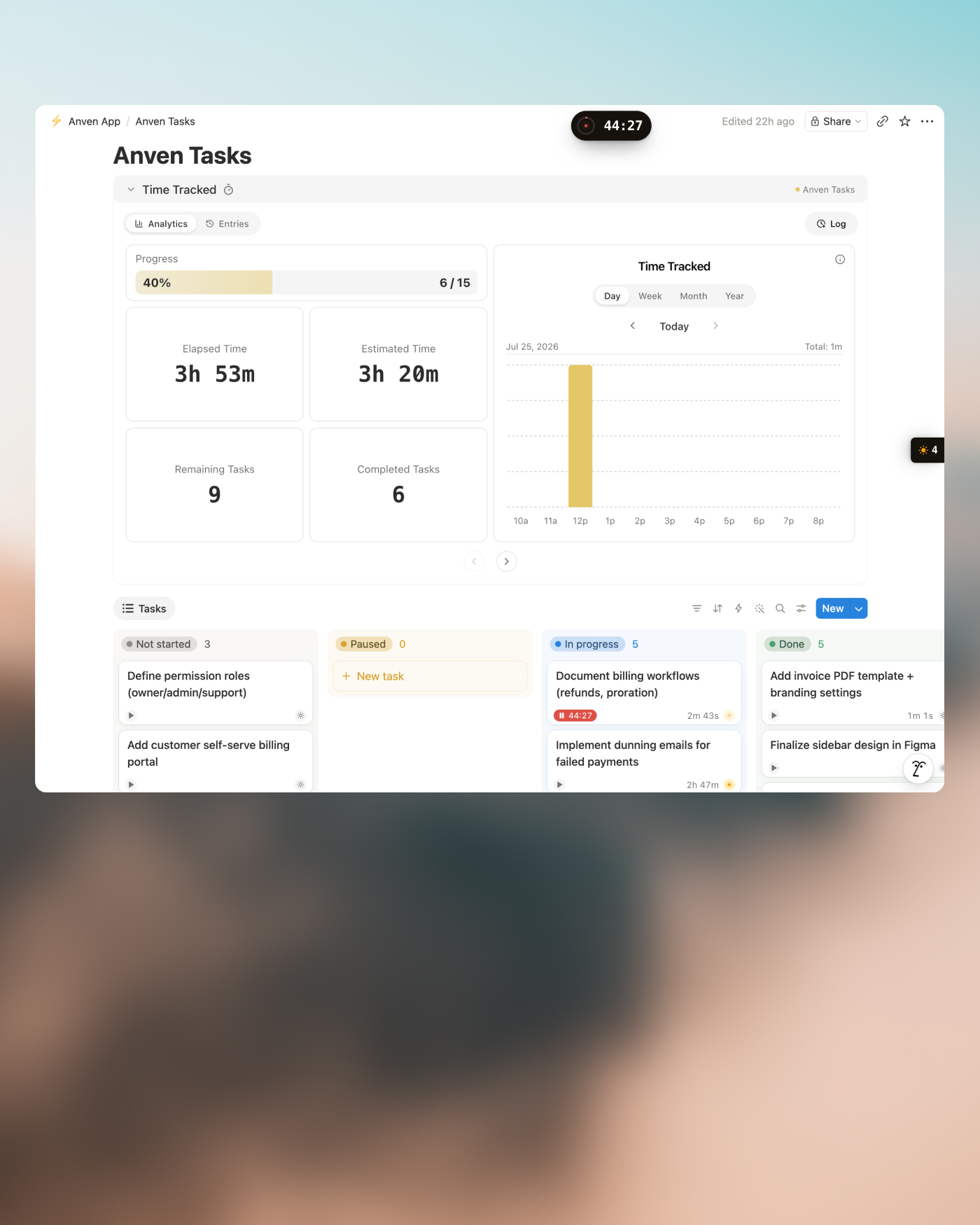
2-way Notion sync
Feels like a native Notion feature
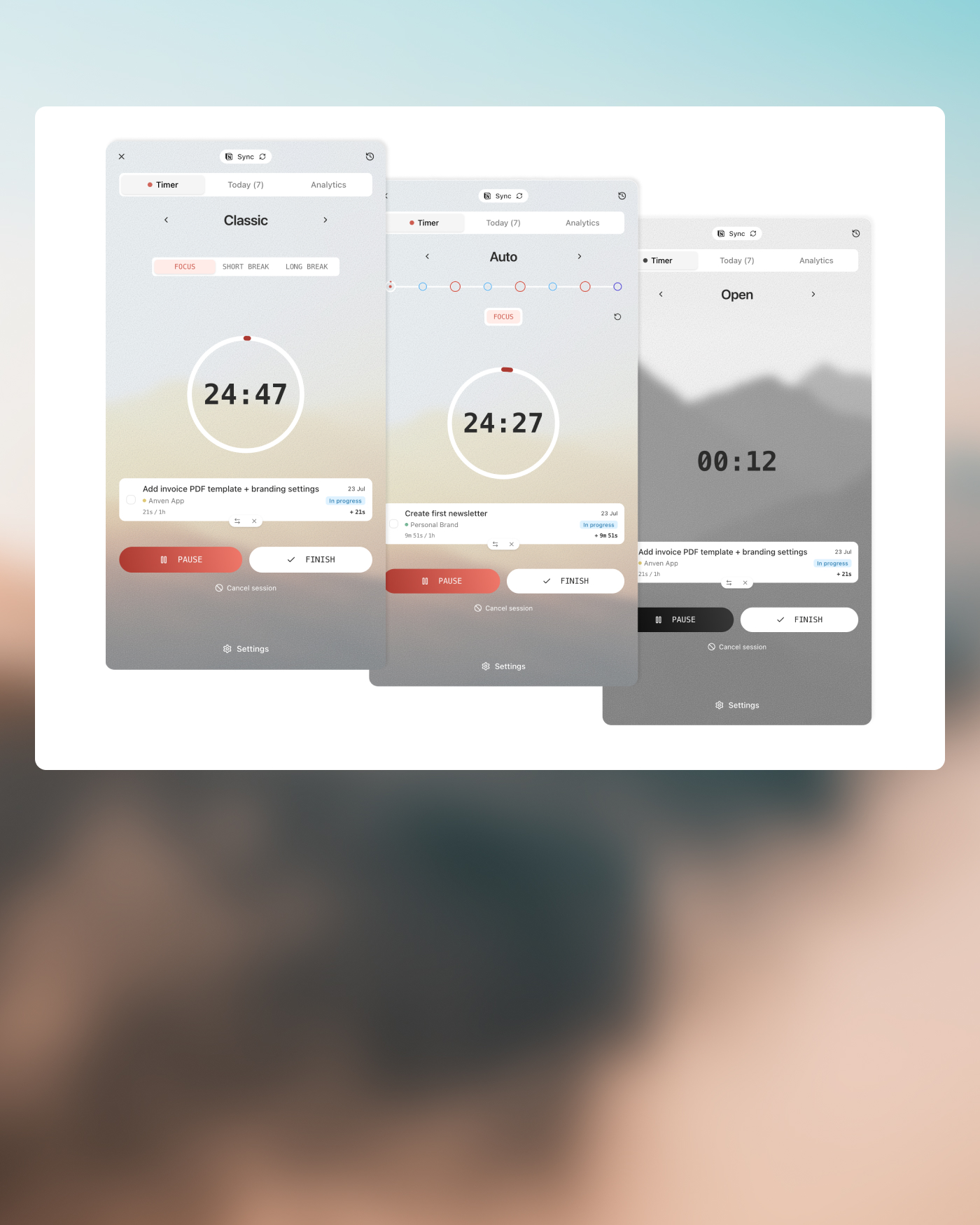
Classic, Auto & Open timers
A timer for every way you work
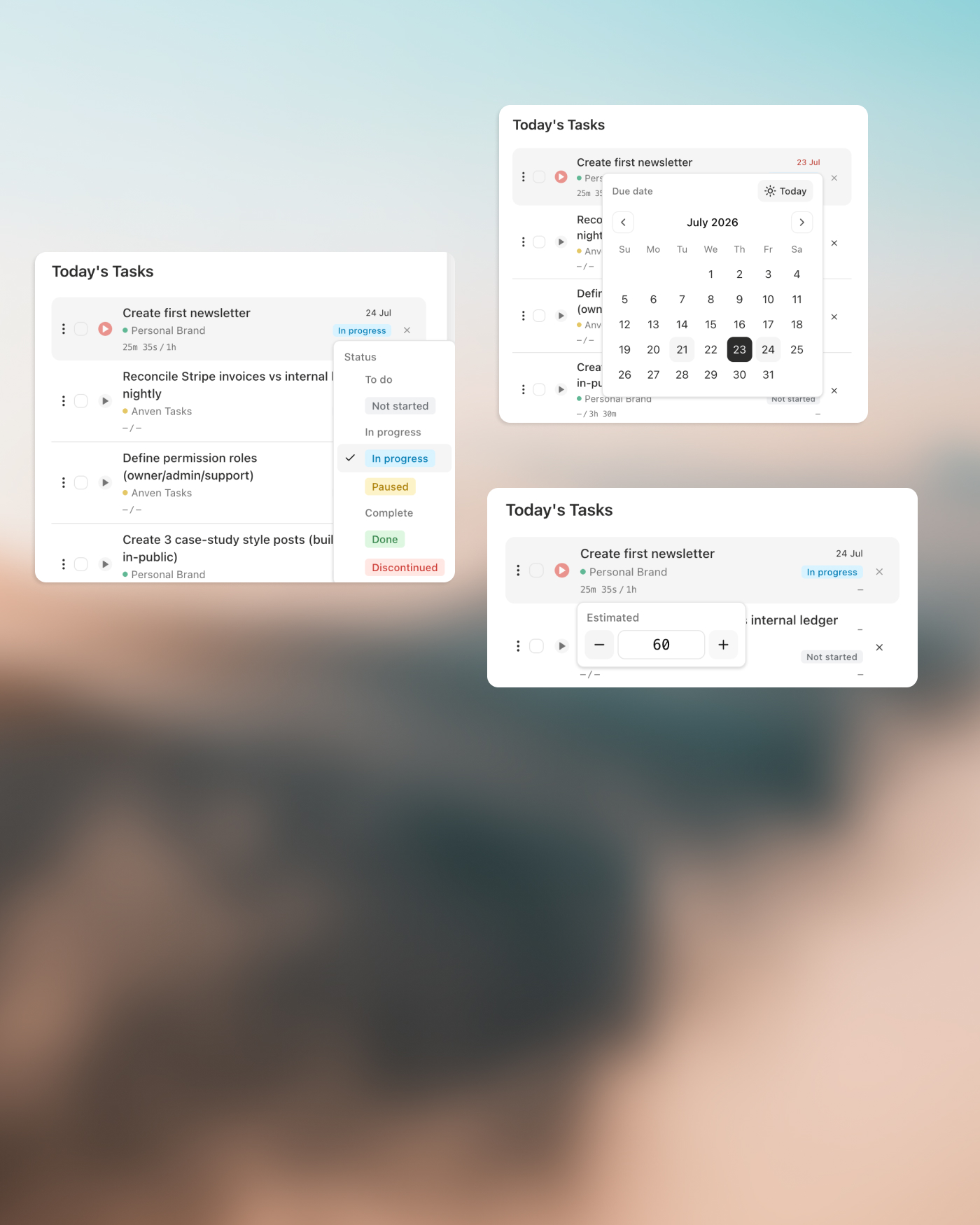
Sidebar & property sync
Manage your tasks fast, on the go
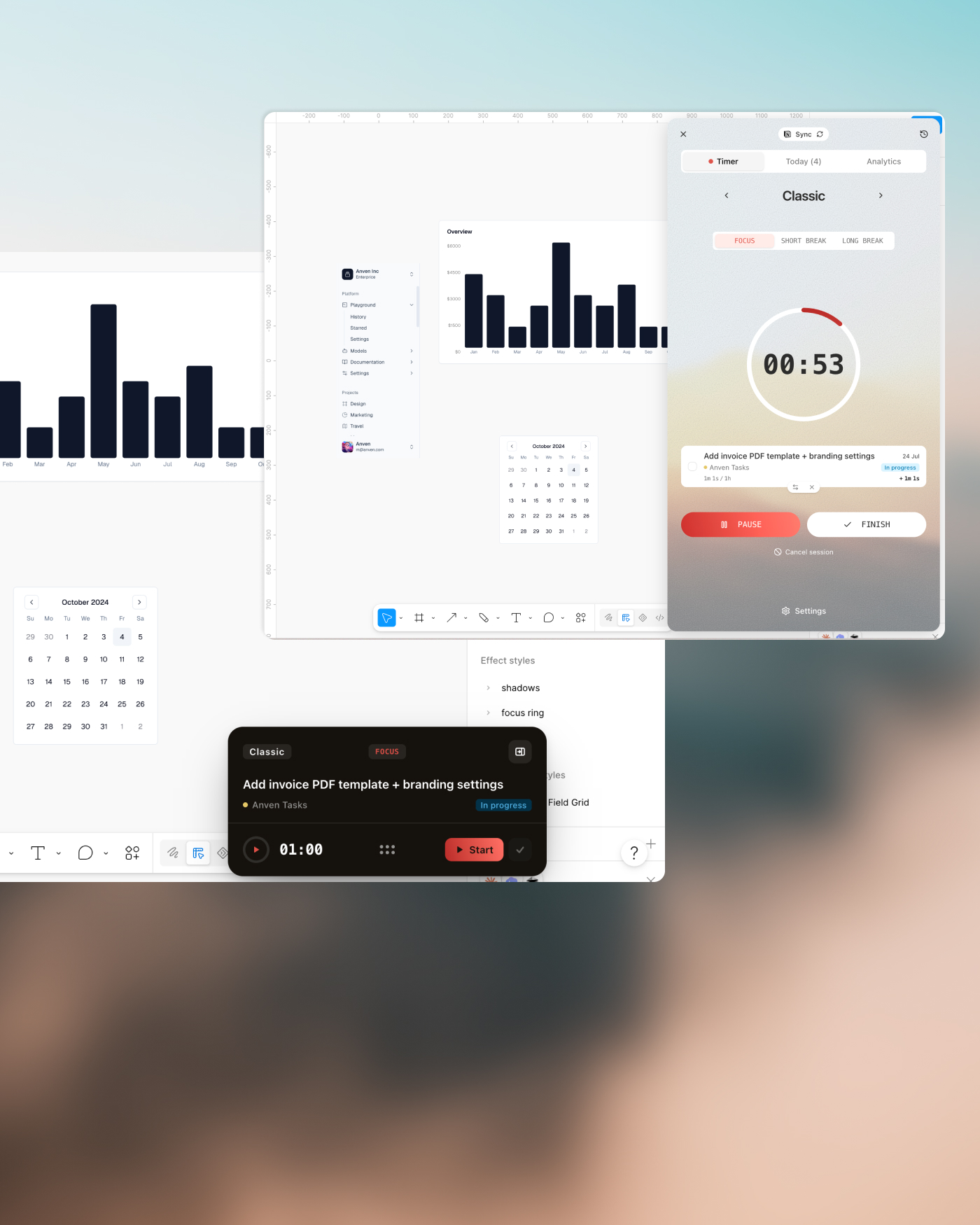
No separate apps, no tab-switching
Focus follows you across the tabs
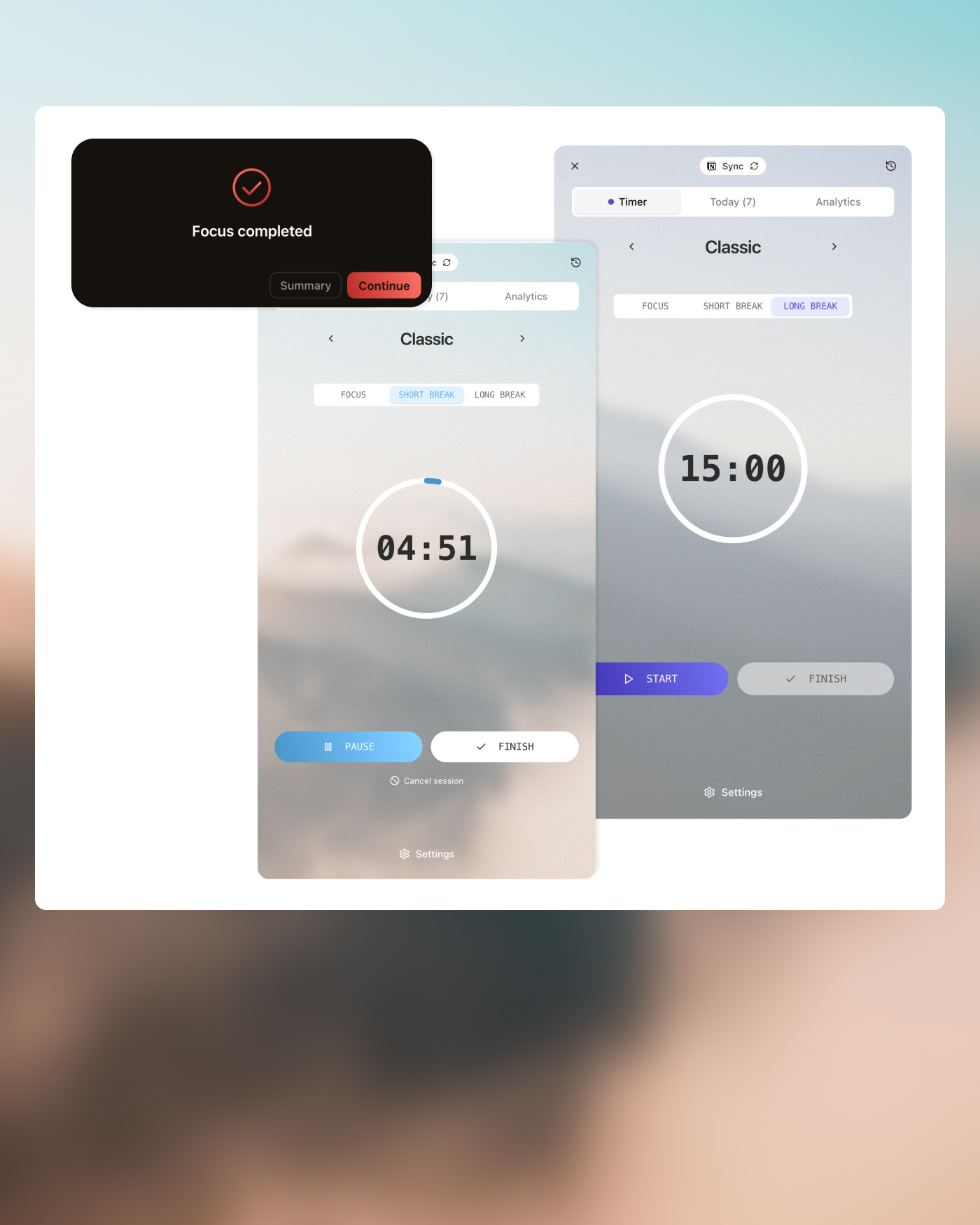
Breaks & completion alerts
Recover in control
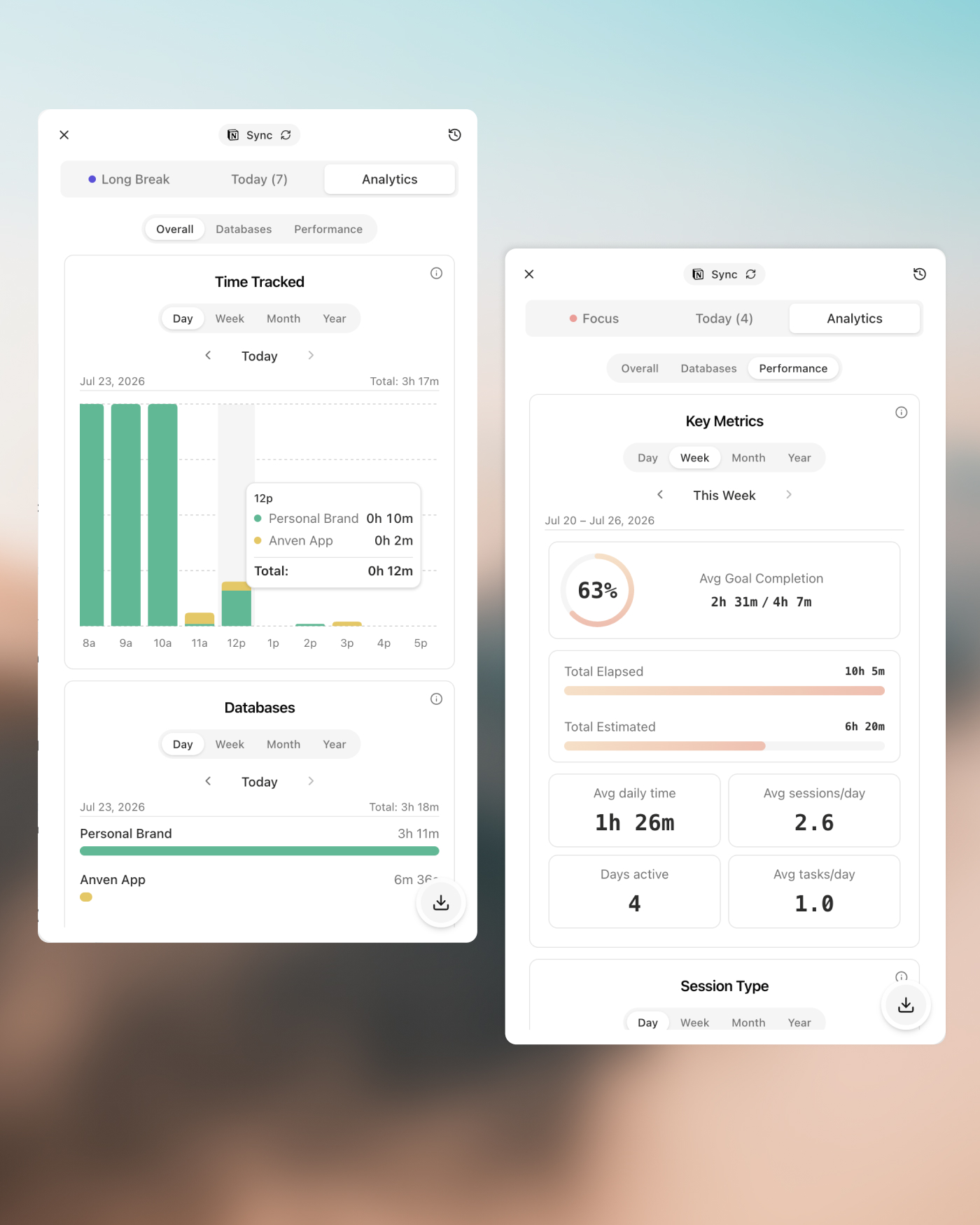
Analytics & performance
Know exactly where your hours went
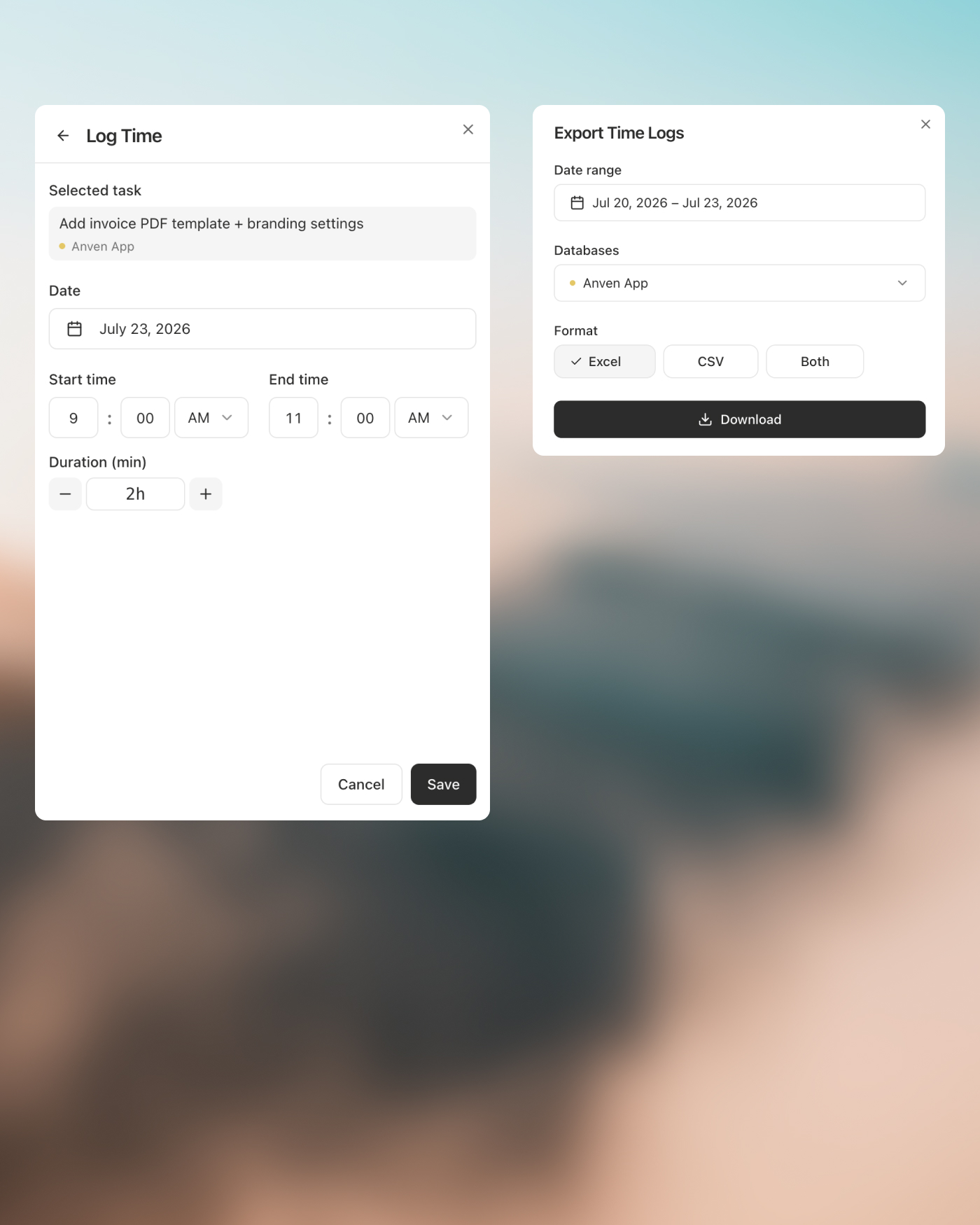
Manual logging & export
Hand clients an invoice-ready sheet
Upcoming features
Time blocking
Drop tasks into time slots and block out your day, so your plan matches your calendar.
Brain dump
Capture every stray thought in one place, then turn them into Notion tasks later.
Floating notes
Jot quick notes in a floating window without leaving your task or breaking focus.
Frequently Asked Questions
Time tracking & focus extension
Get more done in Notion.Made for freelancers
A daily planner, focus timer, and effortless time tracking — integrated to your Notion databases. The floating timer helps you do deep work without switching tabs.
100% free, no credit card. Requires a Notion account.